Here’s something I noticed while looking at user signups for a product we were running on Keycloak.
Healthy registration numbers. Decent activation rate. But a chunk of users just… never came back. Not after day one, not after the welcome email, not after the follow-up. Just gone. When I started digging into the email addresses, it was obvious — temp-mail.org, guerrillamail.com, tempmailo.com. Throwaway addresses. The accounts existed but the people never did.
Blocking them isn’t hard in theory. You just need a list of known disposable domains and a place to check against it during registration. The problem is where in Keycloak to put that check.
There’s no built-in setting. There’s no toggle in the Admin Console. You can’t just paste a regex somewhere. If you want to validate anything custom during registration, you’re building a Keycloak SPI extension — a Java plugin that hooks into the authentication flow.
So I built one.
What it does # Two things.
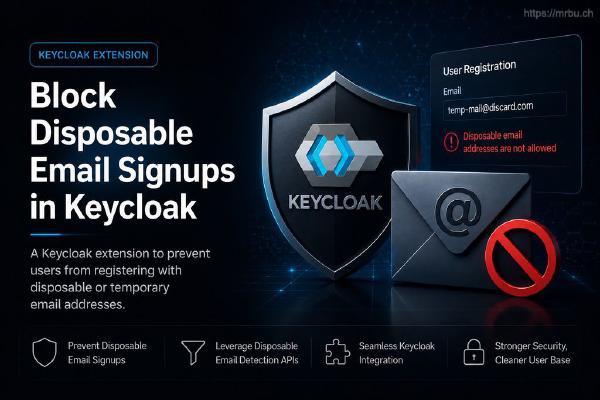
Blocks registration with disposable email addresses. If someone tries to sign up with throwaway123@tempmail.com, they get an error on the registration form. Same UX as any other validation error — inline, next to the email field, no page reload. The account never gets created.
Exposes a REST endpoint to refresh the domain blocklist. The list of known disposable domains comes from the zliio/disposable library. It’s loaded on startup, but you can hit an endpoint to pull fresh data without restarting Keycloak.
That’s it. No database schema changes. No custom theme files. No event listeners to configure separately. Drop the JAR in, wire up the flow, and it works.
How it actually works # Keycloak’s authentication system is built around flows — chains of steps that run during login, registration, or any other interaction. Each step is a FormAction. If you want to inject custom logic, you implement that interface and register it as an SPI.
This extension does exactly that. EmailDomainValidationFormAction plugs into the registration flow. When someone submits the form, Keycloak calls validate() — it pulls the email field, checks it against the blocklist, and either passes or fails the validation. If it’s a disposable domain, Keycloak shows the error inline. Registration stops. The user’s not in the system.
The actual domain check lives in DisposableEmailManager — a singleton wrapping the zliio Disposable instance. One object, shared across all requests. Worth noting: zliio’s validate() returns true for valid (non-disposable) emails, so isDisposableEmail flips that — true means keep out. Small thing, but it tripped me up the first time I read the code.
The REST endpoint is a separate SPI — a RealmResourceProvider — registered at:
POST /realms/{realm}/brew-disposable-email-resource-provider/refresh-domain-list It’s locked to service accounts with realm-admin role in the realm-management client. Regular user tokens, even admin ones, get a 403. The auth check manually parses the JWT instead of using Keycloak’s built-in role enforcement — it’s checking resourceAccess["realm-management"].roles contains "realm-admin" directly in the token claims.
Setting it up # Build the JAR, drop it in Keycloak’s providers/ directory, restart. Full steps are in the README. Requires Java 17, tested on Keycloak 26.2.5.
The step that’s easy to miss: installing the JAR does nothing on its own. You have to wire it into a registration flow.
Admin Console → your realm → Authentication → Flows Find registration and duplicate it — name it something like registration-with-email-check In the new flow, click Add execution Find “Email Domain Validation” and add it Set its requirement to Required Go to Authentication → Bindings → set Registration flow to your new flow Now every registration attempt goes through the check. Your existing flows aren’t touched, and you can always swap back by changing the binding.
Refreshing the domain list # The blocklist loads on startup. To pull an update without restarting, POST to:
/realms/{realm}/brew-disposable-email-resource-provider/refresh-domain-list You need a service account token with realm-admin role in realm-management. Regular user tokens get a 403 — even admin ones. Full curl example in the README.
Set this up as a weekly cron job. The zliio upstream list grows as new throwaway services pop up — you want to stay current.
Things worth knowing before you deploy # The blocklist is in-memory. It lives in the JVM heap, not a database. Keycloak restart clears it back to the startup defaults. If you’re scheduling refreshes, also schedule one on startup — or just accept that you’ll be on the bundled list until the next refresh fires.
One manager instance per JVM. DisposableEmailManager is a singleton. In a multi-realm Keycloak setup, a refresh on one realm’s endpoint refreshes the list for all of them. That’s usually fine, but worth knowing.
minimizeJar=true is active. The shade plugin strips unused classes to keep the JAR small. If you’re extending this and adding dependencies, verify they don’t get pruned. The minimizeJar flag can be aggressive and it fails silently at runtime.
Keycloak SPI classes stay out of the JAR. keycloak-server-spi, keycloak-server-spi-private, keycloak-services — all provided scope. They come from Keycloak’s own classpath at runtime. Never shade them in. If you do, you’ll get classloader conflicts that are annoying to debug.
What this doesn’t do # No fuzzy matching, no MX record lookups, no custom domain allowlists, no per-realm config. If someone signs up with a real Gmail account they don’t care about, they get through. This only blocks known disposable domains from the zliio blocklist.
If you need something more sophisticated — like blocking domains with no valid MX records, or maintaining your own allowlist — that’s a fork, not a config option.
For most use cases though, the zliio list covers what you need. It’s thousands of domains wide and gets updated regularly.
It’s not a perfect solution — nothing is. But five minutes of setup to cut out a whole category of junk registrations is a pretty good trade.
Found a bug or want a feature? Open an issue on GitLab